Jupiter and Its Four Largest Moons Composite
2081 × 1654 px Desktop Added 5 downloads
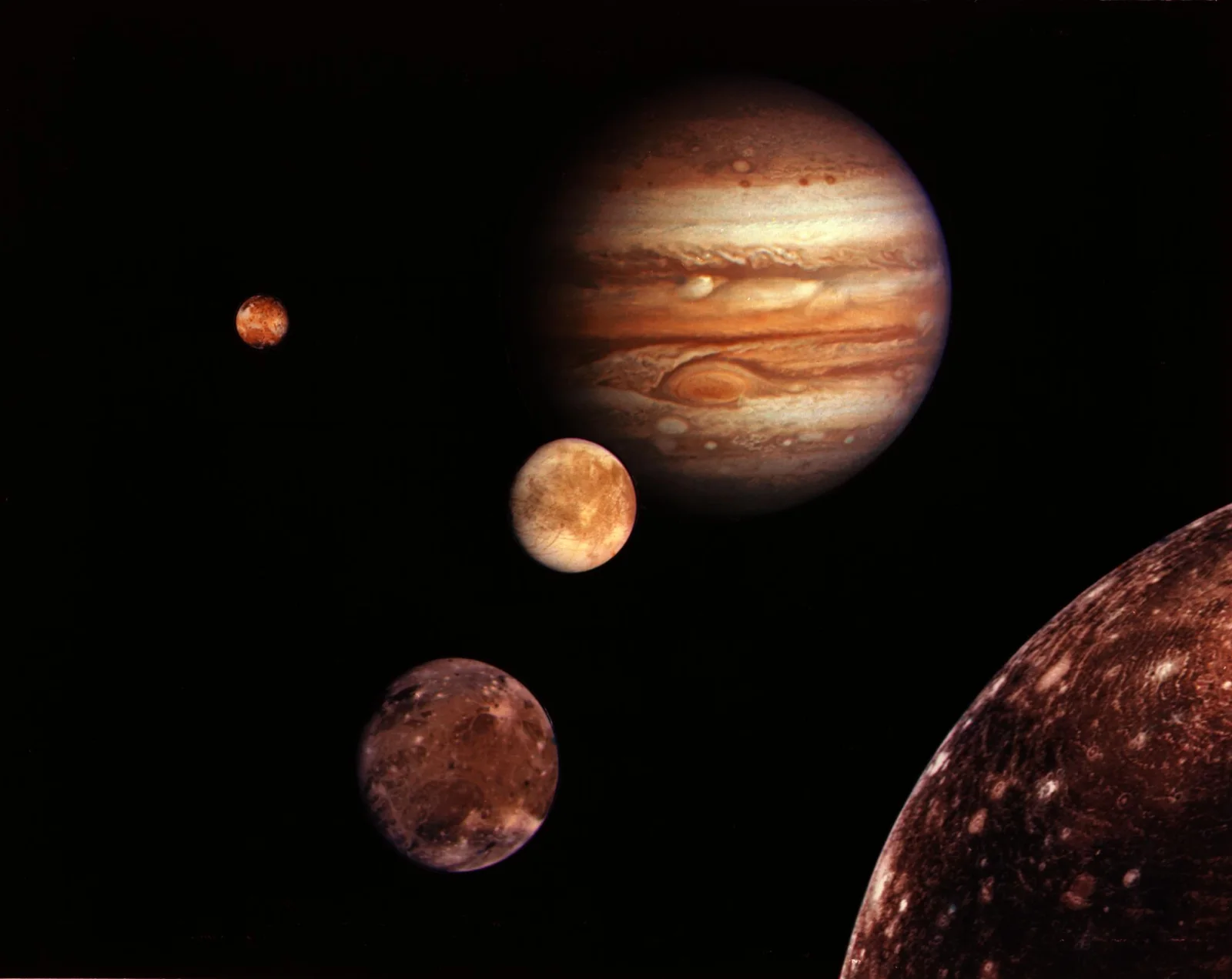
Jupiter hangs in the upper right of a black field, its disc banded in cream, rust and tan. A large oval storm sits in the southern half, and smaller pale spots break up the stripes. The edge of the planet fades softly into darkness. Four moons are placed below and to the left in a loose diagonal. The smallest is a tiny orange-yellow globe at far left. Next to it is a paler, cream-coloured moon with faint mottling. Below that, a darker brown moon shows bright streaks and patches. At lower right, a much larger dark globe is cut off by the frame, its surface covered in small bright rings and speckles.
This is a montage, not a single exposure. Separate images from the Voyager spacecraft were arranged together, so the sizes and spacing are not to scale. The four moons are the large Galilean satellites: Io, Europa, Ganymede and Callisto. Galileo observed them in 1610. Io is volcanically active, Europa has an icy shell over a likely ocean, Ganymede is the largest moon in the solar system, and Callisto has one of the most heavily cratered surfaces known. The deep black background and off-centre layout suit a widescreen desktop monitor, where the planet and moons have room to sit apart.
More like this: Three Bears Walking Down a Northern Highway and Great Blue Heron Standing on a Seaweed-Strewn Beach.
How it looks on your screens
Device sizes are cropped around the same point, so the subject stays in view.
Credit and licence
- Creator
- NASA/JPL
- Source
- NASA Image Library
- Licence
- Public domain
This image has no copyright restrictions. You can use it for anything, including commercially. Credit isn't required, but it's appreciated.
"Jupiter and Its Four Largest Moons Composite", by NASA/JPL, via NASA Image Library, Public domain
How to set this as your wallpaper
Windows
Download your size, right-click the file and choose Set as desktop background. Or go to Settings, Personalization, Background.
Mac
Open System Settings, Wallpaper, then Add Photo and pick the downloaded file. Choose “Fill screen”.
iPhone
Download the phone size, open it in Photos, tap Share, then Use as Wallpaper. Pinch to adjust before setting.
Android
Download the phone size, open it in Gallery or Photos, tap the menu and choose Set as wallpaper.
Is this your work and published in error? Report this image and we'll respond within 48 hours.