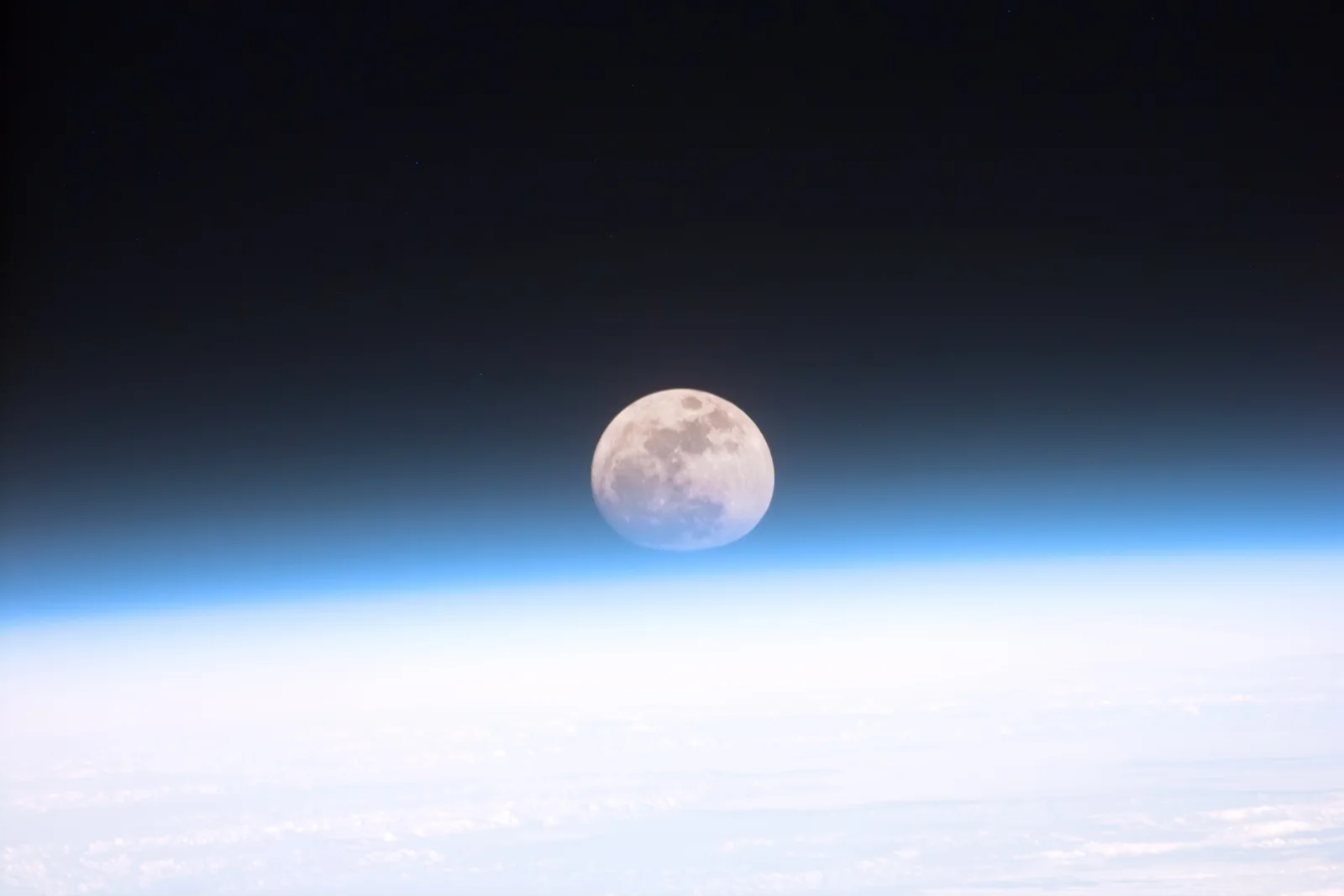
Full Moon Sinking Into Earth's Blue Limb
3064 × 2043 px Desktop Added 5 downloads
A pale, nearly full Moon sits just above the curve of Earth's atmosphere, its lower edge softened and slightly flattened where it meets the haze. The grey maria and bright highland patches are still easy to read on the disc. Below it, a thin band of luminous blue grades into a broad white layer that fills the bottom third of the frame, while the sky above fades from deep blue into black. The palette is restrained and cold, and the mood is quiet and distant.
The flattened, dimmed look of the lower Moon comes from atmospheric refraction. Air near the surface bends and scatters light, so an object seen through the thick lower layers is distorted and fainter than it is higher up. Astronauts aboard Space Shuttle Discovery photographed the scene from orbit on 21 December 1999, which gives a view of the atmosphere edge-on, seen as a thin shell rather than as open sky. The wide landscape frame and large areas of dark and light space suit widescreen and ultrawide monitors, and the black upper area leaves room for desktop icons.
More like this: Three Bears Walking Down a Northern Highway and Great Blue Heron Standing on a Seaweed-Strewn Beach.
How it looks on your screens
Device sizes are cropped around the same point, so the subject stays in view.
Credit and licence
- Creator
- NASA
- Source
- Wikimedia Commons
- Licence
- Public domain
This image has no copyright restrictions. You can use it for anything, including commercially. Credit isn't required, but it's appreciated.
"Full Moon Sinking Into Earth's Blue Limb", by NASA, via Wikimedia Commons, Public domain
How to set this as your wallpaper
Windows
Download your size, right-click the file and choose Set as desktop background. Or go to Settings, Personalization, Background.
Mac
Open System Settings, Wallpaper, then Add Photo and pick the downloaded file. Choose “Fill screen”.
iPhone
Download the phone size, open it in Photos, tap Share, then Use as Wallpaper. Pinch to adjust before setting.
Android
Download the phone size, open it in Gallery or Photos, tap the menu and choose Set as wallpaper.
Is this your work and published in error? Report this image and we'll respond within 48 hours.