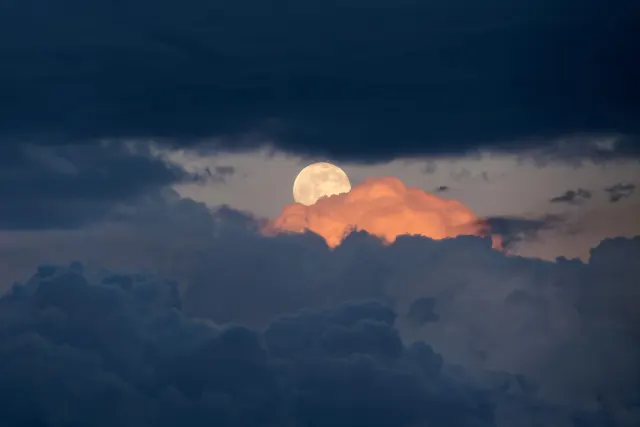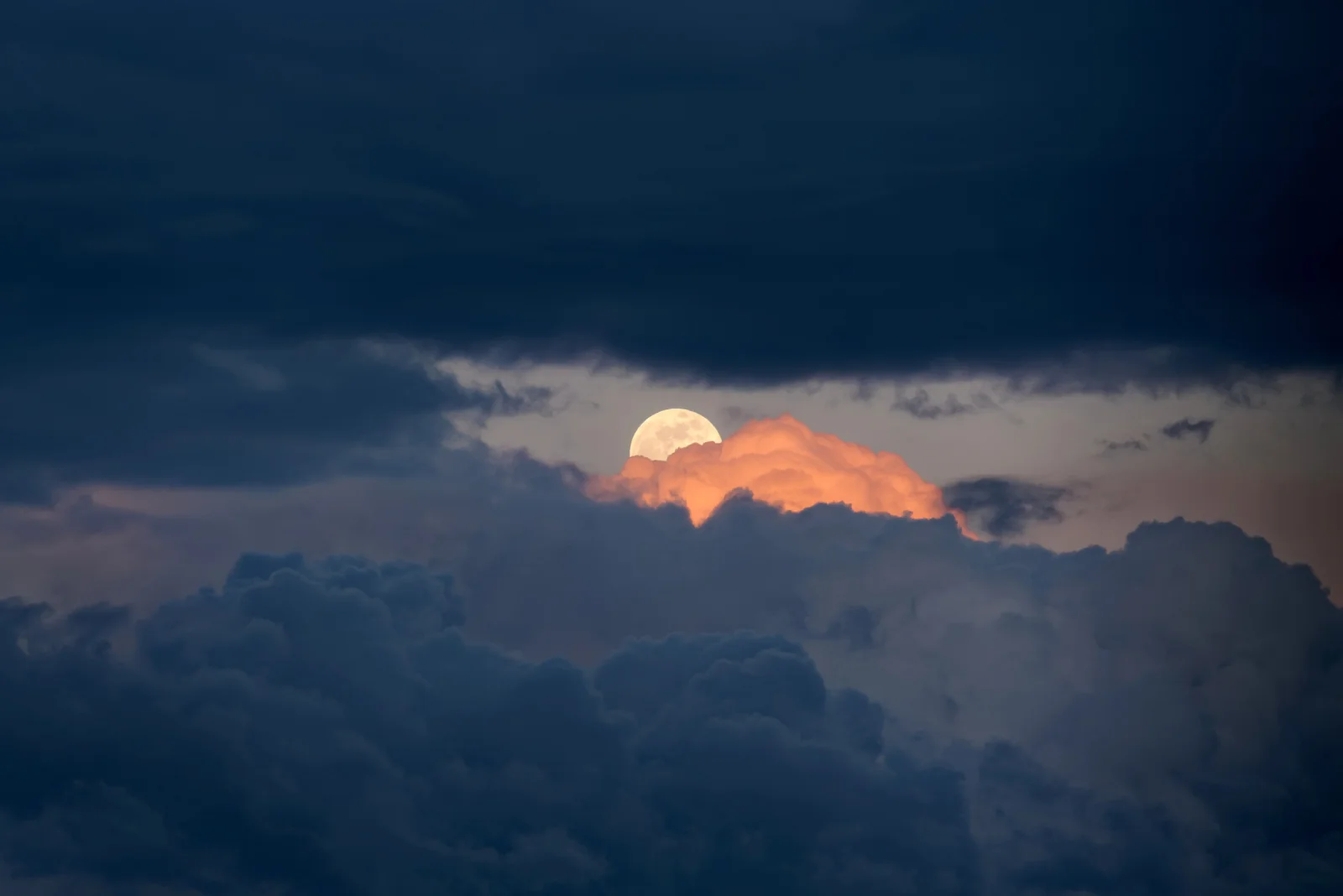
Pale Moon Rising Behind Orange-Lit Cloud
3840 × 2563 px DesktopPhone4KUltrawide Added 9 downloads
A pale, nearly full moon sits low in a narrow gap between two banks of cloud. Directly in front of it, a single cloud top glows a warm orange-pink, as if lit from below, and it is the only strong colour in the frame. Above, a heavy slate-blue layer stretches across the whole top of the image. Below, rounded, billowing cloud fills the foreground in deep navy and grey. The thin band of sky between them has a soft, muted tone, and the mood is quiet and a little brooding.
The photo was taken just after sunset over Kraków. At that hour the sun is below the horizon but still lights the undersides and upper edges of high cloud, which is why one cloud holds the orange colour while the rest fall into blue shadow. A full moon rises around sunset, so it appears low in the sky at this time of evening, and clouds can partly hide it or frame it as they drift. The dark upper half and the central glow make this a good fit for widescreen desktop monitors, where the moon sits near the middle and icons can rest on the darker areas without covering it.
More like this: Three Bears Walking Down a Northern Highway and Great Blue Heron Standing on a Seaweed-Strewn Beach.
How it looks on your screens
Device sizes are cropped around the same point, so the subject stays in view.
Credit and licence
- Creator
- Jakub Hałun
- Source
- Wikimedia Commons
- Licence
- CC BY 4.0
Free to use, including commercially, as long as you credit the creator. Our downloads are resized and cropped from the original.
"Pale Moon Rising Behind Orange-Lit Cloud", by Jakub Hałun, via Wikimedia Commons, CC BY 4.0. Resized and cropped by Wallspapers
How to set this as your wallpaper
Windows
Download your size, right-click the file and choose Set as desktop background. Or go to Settings, Personalization, Background.
Mac
Open System Settings, Wallpaper, then Add Photo and pick the downloaded file. Choose “Fill screen”.
iPhone
Download the phone size, open it in Photos, tap Share, then Use as Wallpaper. Pinch to adjust before setting.
Android
Download the phone size, open it in Gallery or Photos, tap the menu and choose Set as wallpaper.
Is this your work and published in error? Report this image and we'll respond within 48 hours.