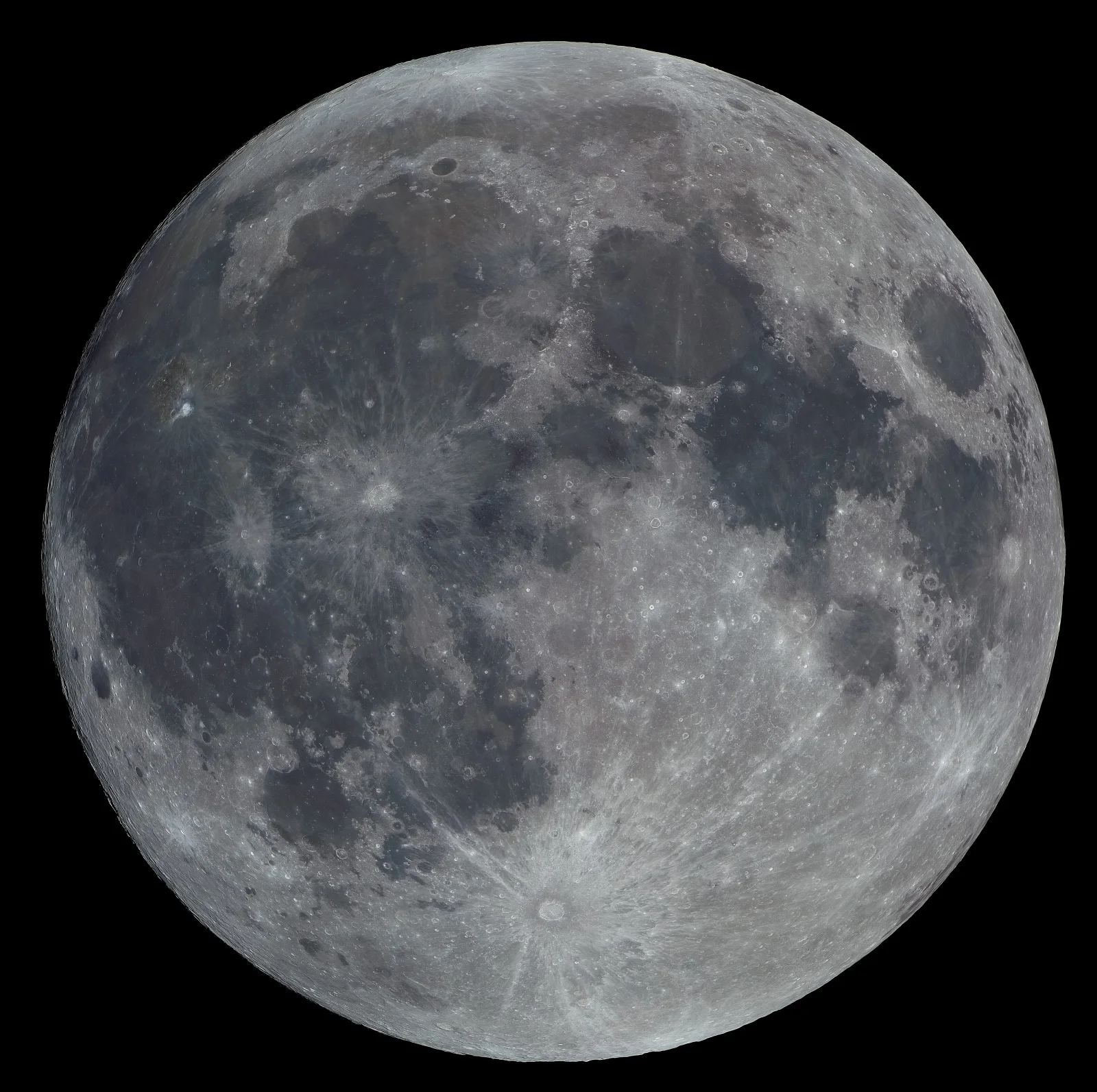
Full Moon With Tycho's Rays and Blue-Grey Seas
3840 × 3823 px DesktopPhone4KUltrawideTablet Added 1 downloads
The full Moon fills almost the entire square frame against a pure black sky. Its dark plains spread across the upper and left sides in muted blue-grey, while the brighter highlands in the lower right look pale grey with a faint warm tint. Sunlight falls straight onto the surface, so there are few shadows. Craters show as small bright rings and pits, and the limb is crisp all the way round. Near the bottom, a bright crater sits at the centre of long pale rays that fan out across the surface. A second, smaller ray crater lies left of centre.
The image is a composite. The detail comes from a panorama of 74 separate telescope views, each stacked from a video of about 1800 frames. The colour was captured separately with a refractor and added afterwards. The colour differences are real but subtle, and they reflect differences in surface composition. The dark plains are ancient lava flows, and the bright rays are fine material thrown out by impacts. Because the light comes from directly behind the viewer, the rays stand out while the relief looks flat. The square format suits phone and tablet screens, and on a widescreen monitor the black background blends into the bezel.
More like this: Three Bears Walking Down a Northern Highway and Great Blue Heron Standing on a Seaweed-Strewn Beach.
How it looks on your screens
Device sizes are cropped around the same point, so the subject stays in view.
Credit and licence
- Creator
- Rolf-Hempel
- Source
- Wikimedia Commons
- Licence
- CC BY 3.0
Free to use, including commercially, as long as you credit the creator. Our downloads are resized and cropped from the original.
"Full Moon With Tycho's Rays and Blue-Grey Seas", by Rolf-Hempel, via Wikimedia Commons, CC BY 3.0. Resized and cropped by Wallspapers
How to set this as your wallpaper
Windows
Download your size, right-click the file and choose Set as desktop background. Or go to Settings, Personalization, Background.
Mac
Open System Settings, Wallpaper, then Add Photo and pick the downloaded file. Choose “Fill screen”.
iPhone
Download the phone size, open it in Photos, tap Share, then Use as Wallpaper. Pinch to adjust before setting.
Android
Download the phone size, open it in Gallery or Photos, tap the menu and choose Set as wallpaper.
Is this your work and published in error? Report this image and we'll respond within 48 hours.