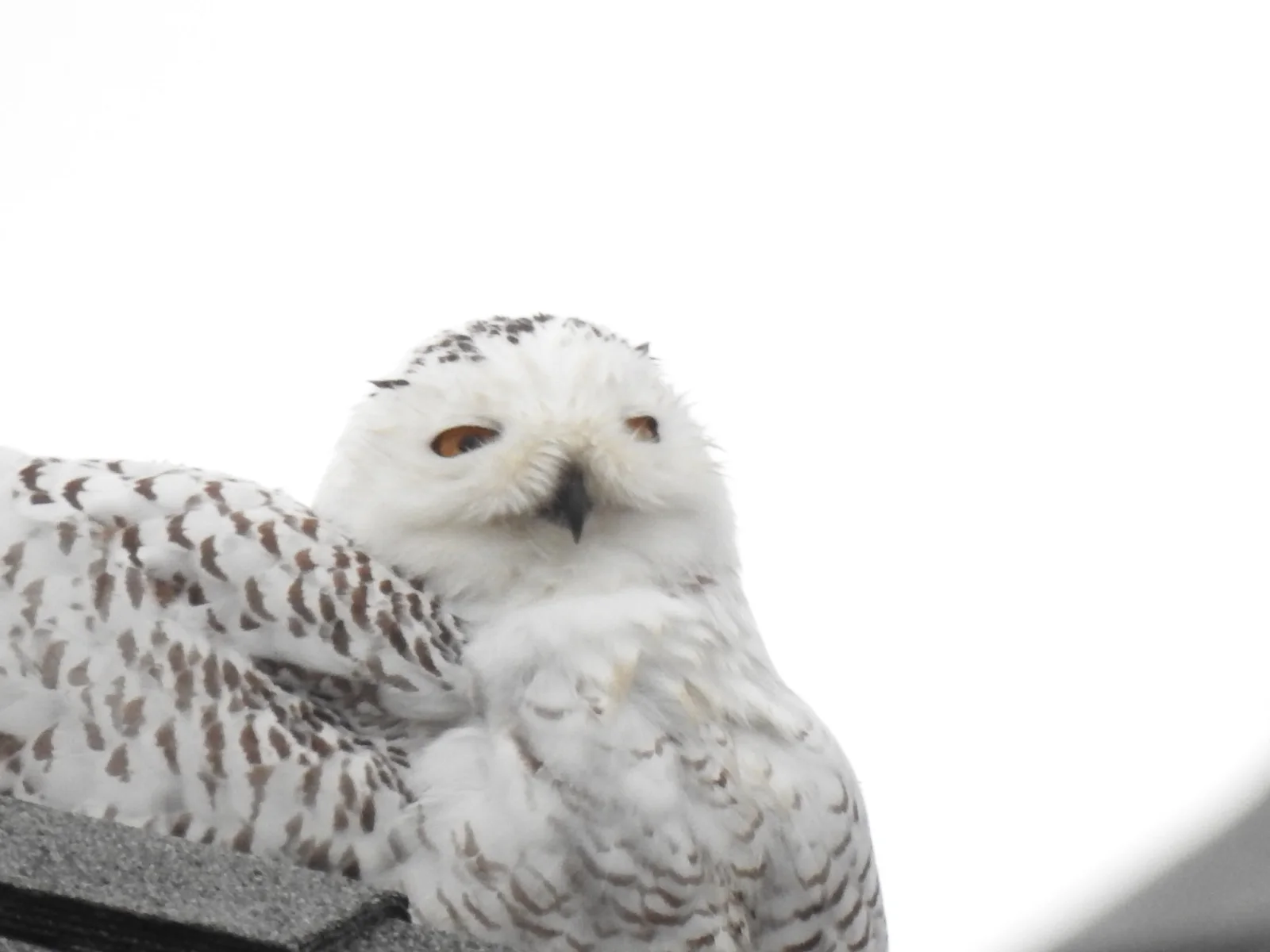
Snowy Owl Peering Over Its Shoulder on a Rooftop
2048 × 1536 px Desktop Added 2 downloads
A snowy owl fills the lower half of the frame, its head turned toward the camera over a body of white feathers barred with brown. The face is pale and rounded, with a dark beak, dark flecks across the crown and bright orange-amber eyes that look half-lidded and a little sleepy. The plumage seems to blend into the overcast white sky, so the only strong accents are the eyes, the beak and the scattered markings. At the bottom left, the owl sits on what looks like a gray shingled edge. The mood is quiet and a little comic, like a bird caught mid-doze.
Snowy owls (Bubo scandiacus) breed on the Arctic tundra and move south in winter, sometimes as far as the mid-Atlantic coast of the United States. The photo was taken in Virginia Beach in December 2020. Visiting birds often choose open, flat perches such as dunes, fields and rooftops that resemble their treeless home. Unlike most owls, they hunt largely in daylight. Females and young birds tend to be more heavily barred than adult males. The soft white background and generous empty space suit widescreen desktop monitors well, and they leave room for icons on the left and right.
How it looks on your screens
Device sizes are cropped around the same point, so the subject stays in view.
Credit and licence
- Creator
- Laura Mae
- Source
- iNaturalist
- Licence
- CC BY 4.0
Free to use, including commercially, as long as you credit the creator. Our downloads are resized and cropped from the original.
"Snowy Owl Peering Over Its Shoulder on a Rooftop", by Laura Mae, via iNaturalist, CC BY 4.0. Resized and cropped by Wallspapers
How to set this as your wallpaper
Windows
Download your size, right-click the file and choose Set as desktop background. Or go to Settings, Personalization, Background.
Mac
Open System Settings, Wallpaper, then Add Photo and pick the downloaded file. Choose “Fill screen”.
iPhone
Download the phone size, open it in Photos, tap Share, then Use as Wallpaper. Pinch to adjust before setting.
Android
Download the phone size, open it in Gallery or Photos, tap the menu and choose Set as wallpaper.
Is this your work and published in error? Report this image and we'll respond within 48 hours.