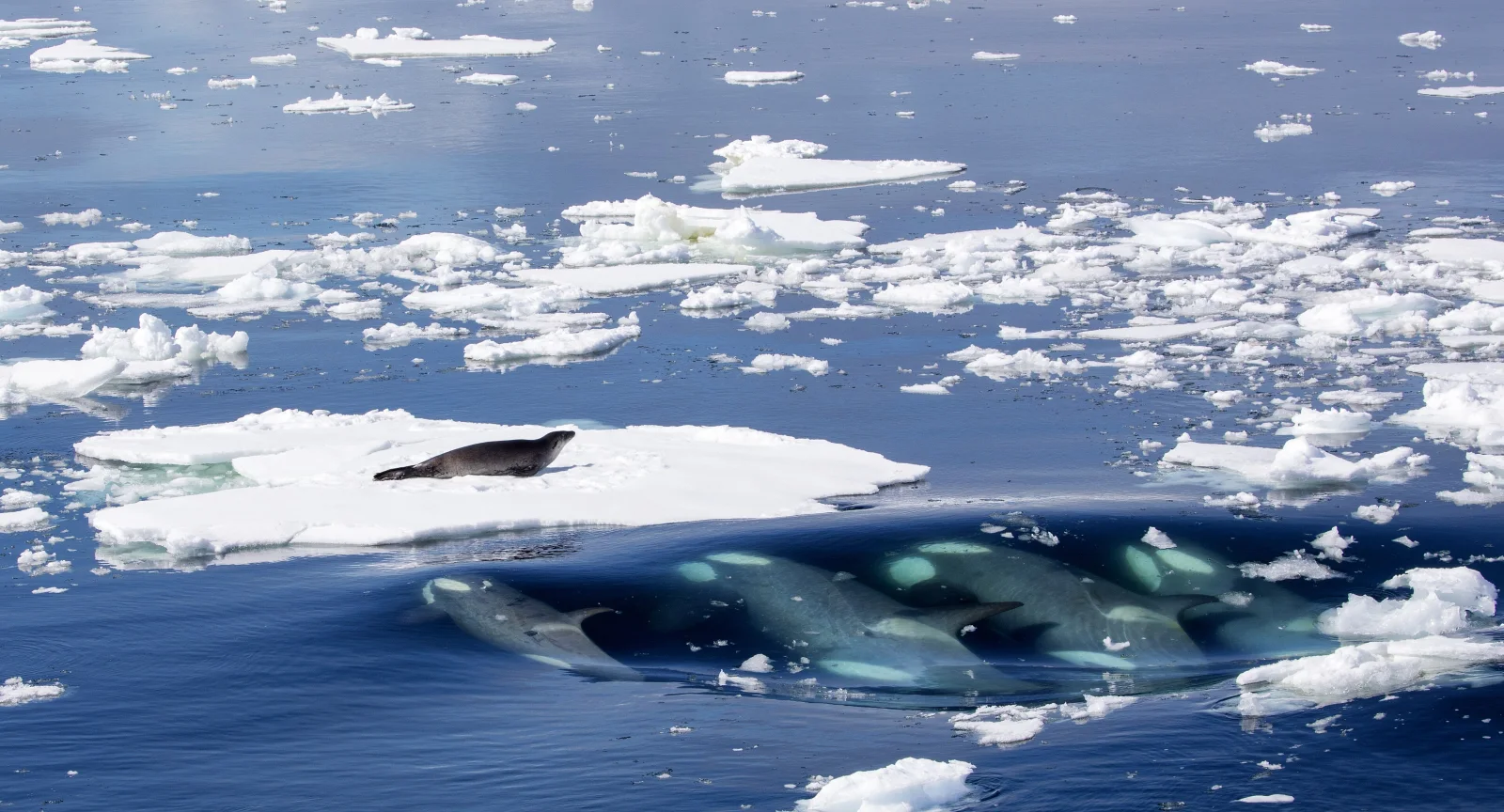
Killer Whales Approach a Seal on Ice
3840 × 2073 px DesktopUltrawide Added 5 downloads
A single dark seal lies stretched out on a flat white ice floe left of centre, apparently unaware of what is moving below. In the lower right, a group of killer whales glides just under the surface in a tight line. Their long bodies show as pale teal shapes where the light reaches them. Around them the water is a deep, even blue, scattered with broken ice that thins toward the top of the frame. The surface looks calm, but the scene is tense.
The animals are killer whales (Orcinus orca) and a crabeater seal (Lobodon carcinophagus), photographed off the west coast of Graham Land, Antarctica. Killer whales hunt seals on ice by swimming together toward a floe to build a bow wave that can wash the seal into the water. Despite its name, the crabeater seal feeds mainly on krill. This seal escaped after about three dozen attempts. The wide landscape frame suits a desktop or ultrawide monitor, where the open blue water leaves room for icons.
More like this: Three Bears Walking Down a Northern Highway and Great Blue Heron Standing on a Seaweed-Strewn Beach.
How it looks on your screens
Device sizes are cropped around the same point, so the subject stays in view.
Credit and licence
- Creator
- Callan Carpenter
- Source
- Wikimedia Commons
- Licence
- CC BY 4.0
Free to use, including commercially, as long as you credit the creator. Our downloads are resized and cropped from the original.
"Killer Whales Approach a Seal on Ice", by Callan Carpenter, via Wikimedia Commons, CC BY 4.0. Resized and cropped by Wallspapers
How to set this as your wallpaper
Windows
Download your size, right-click the file and choose Set as desktop background. Or go to Settings, Personalization, Background.
Mac
Open System Settings, Wallpaper, then Add Photo and pick the downloaded file. Choose “Fill screen”.
iPhone
Download the phone size, open it in Photos, tap Share, then Use as Wallpaper. Pinch to adjust before setting.
Android
Download the phone size, open it in Gallery or Photos, tap the menu and choose Set as wallpaper.
Is this your work and published in error? Report this image and we'll respond within 48 hours.